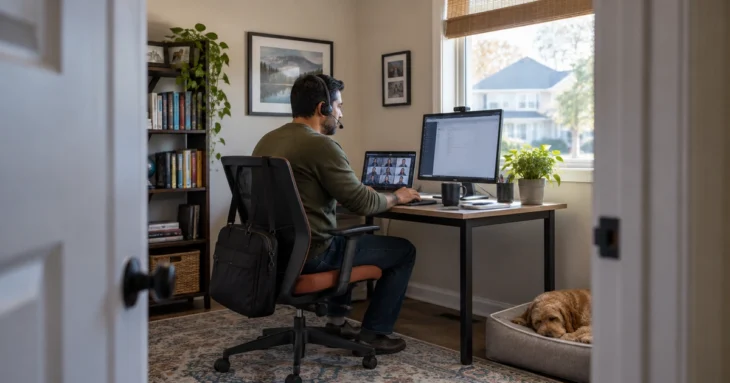
Hybrid work changed where people work, but it should not change the minimum security standard for the device, account, or data they use. A laptop at home should not become a less-managed version of the same laptop in the office.
The most workable approach is to make security travel with the user. Cloud identity, device management, endpoint protection, encryption, and clear data-handling rules can apply whether the employee is in Lisle, a hotel, or a client office.
What to focus on first
Manage company devices wherever they are
Use cloud-based endpoint and device-management tools so patches, encryption, security policies, and inventory remain visible when a computer rarely connects to the office network.
Protect identity before network location
Require strong MFA and use conditional access where appropriate. A trusted user on an unmanaged device should not automatically receive the same access as a managed company computer.
Set expectations for home and public networks
Employees should change default router credentials, use current Wi-Fi security, and avoid sensitive work on unknown public networks when safer options such as a trusted hotspot or VPN are available.
Keep work data in approved systems
Discourage local copies, personal email, consumer file-sharing accounts, and unmanaged USB drives. Centralized storage makes backup, access control, and offboarding much easier.
Give employees a support path that works remotely
People create workarounds when support is difficult. Reliable remote support reduces the temptation to install unauthorized software or move files into personal accounts just to get a task done.
Common ways this goes wrong
- Allowing personally owned computers to access sensitive data without a defined BYOD policy.
- Relying on a VPN as the entire remote-work security strategy.
- Ignoring physical privacy when employees work in shared homes, coworking spaces, or while traveling.
Make it part of normal operations
Make the control part of normal device and user lifecycle work: deployment, patching, support, role changes, and retirement. The process should work for remote employees as well as people in the office. Standardization is what makes a small IT team effective; every exception creates future support and security work, so exceptions should have an owner and an end date.
Questions worth bringing to your next IT review
- Can we explain how the ‘Manage company devices wherever they are’ practice works today without relying on one person’s memory?
- Where do we have exceptions to ‘Protect identity before network location’, and are those exceptions still necessary?
- Who owns the work behind ‘Set expectations for home and public networks’, and what evidence shows it is working?
- How would we discover that this control or process stopped working?
- What business, staffing, vendor, or technology change should trigger another review?
What a solid approach looks like
A secure hybrid environment is consistent: the same identity policies, device standards, support process, and data rules apply regardless of location. That consistency is easier for employees to understand and easier for IT to maintain.
If you want to go one level deeper, see Cloud Security Basics.
If your organization would benefit from help reviewing the current environment or turning these ideas into a workable plan, Computer and Server Remote Support from CTResources is available as a practical next step. The goal is to strengthen what matters without adding unnecessary complexity.